Finds your console
Pit Wall searches your network for your PS5 or PS4. No IP addresses to look up.
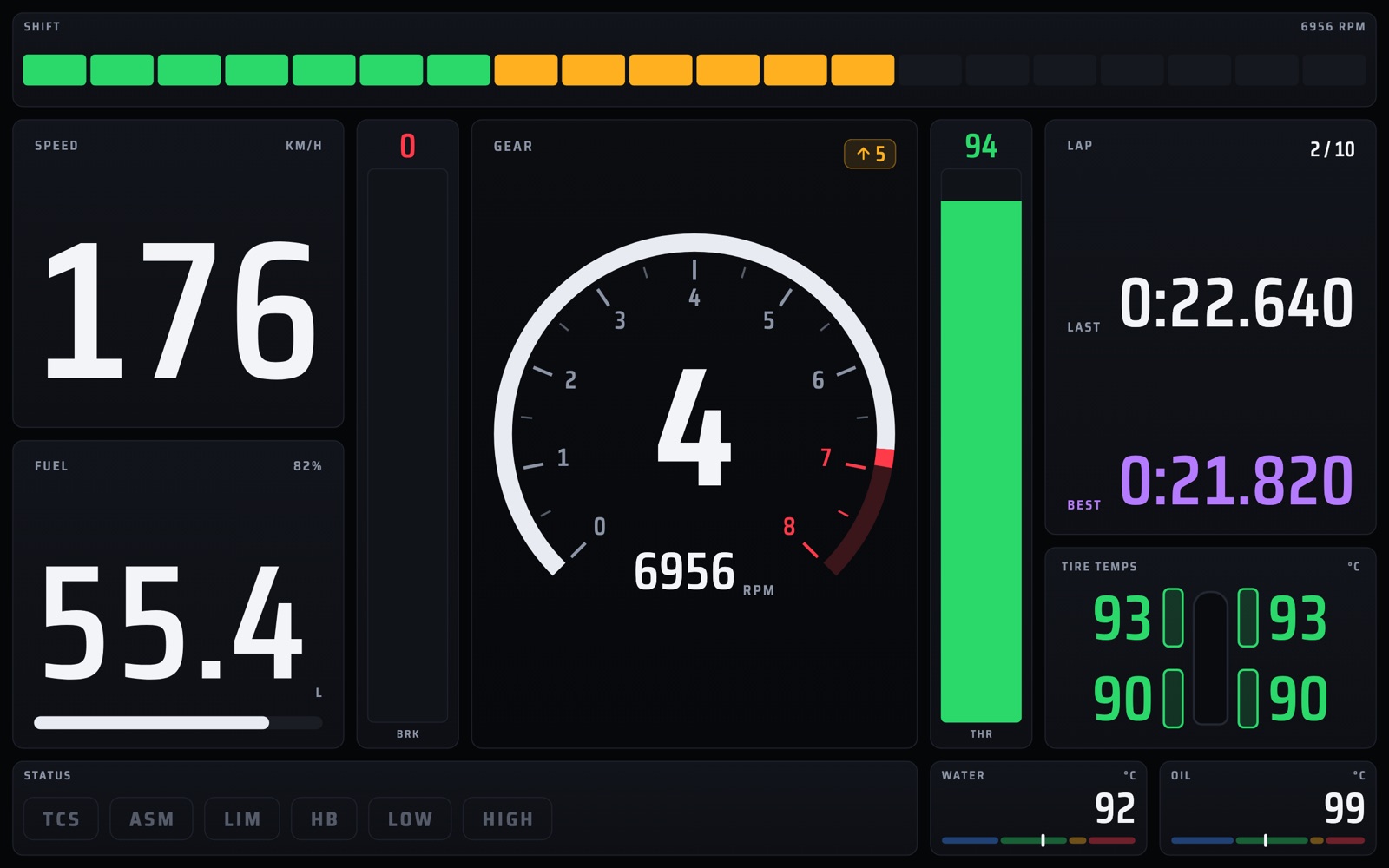
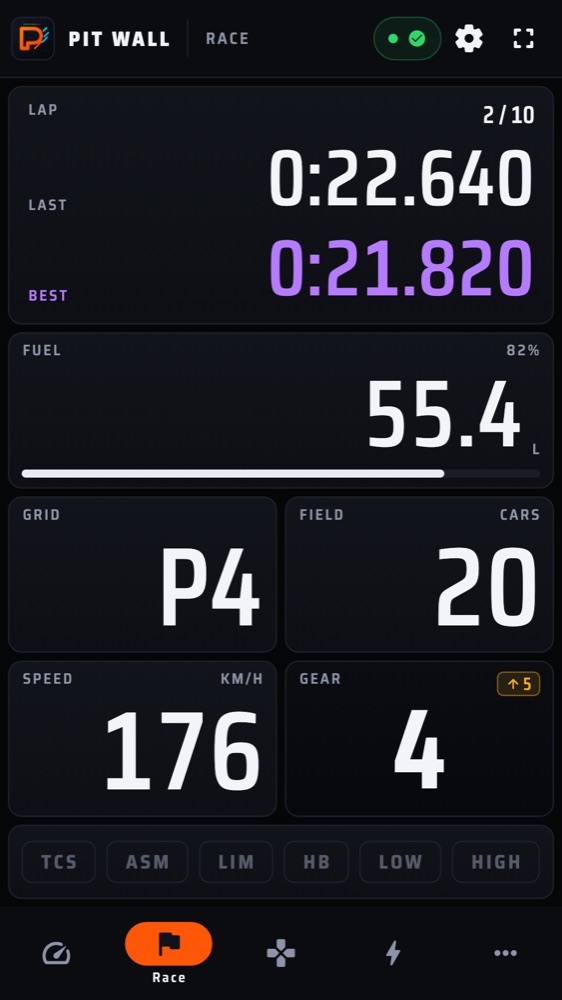
Live telemetry dashboards on your phone or tablet: shift lights, lap times, fuel and tyre temperatures while you drive, and deep lap analysis when you stop.
GT7 streams live telemetry over your home network. Pit Wall turns it into clear, glanceable instruments built like a race car's display.
Pit Wall searches your network for your PS5 or PS4. No IP addresses to look up.
Shift lights, a rev gauge with redline, big tabular numbers and colour that means something.
While telemetry flows, your phone or tablet won't dim or sleep mid-race.
Gauges stay blank in menus and loading screens, and come alive once your car is on track.
Hide everything but the instruments for a clean dash on a stand or sim rig.
No account, no ads, no tracking. Your settings and sessions stay on your device.
Purpose-built boards for every part of a race, plus your own.
Also: Inputs · Motion · Engineering
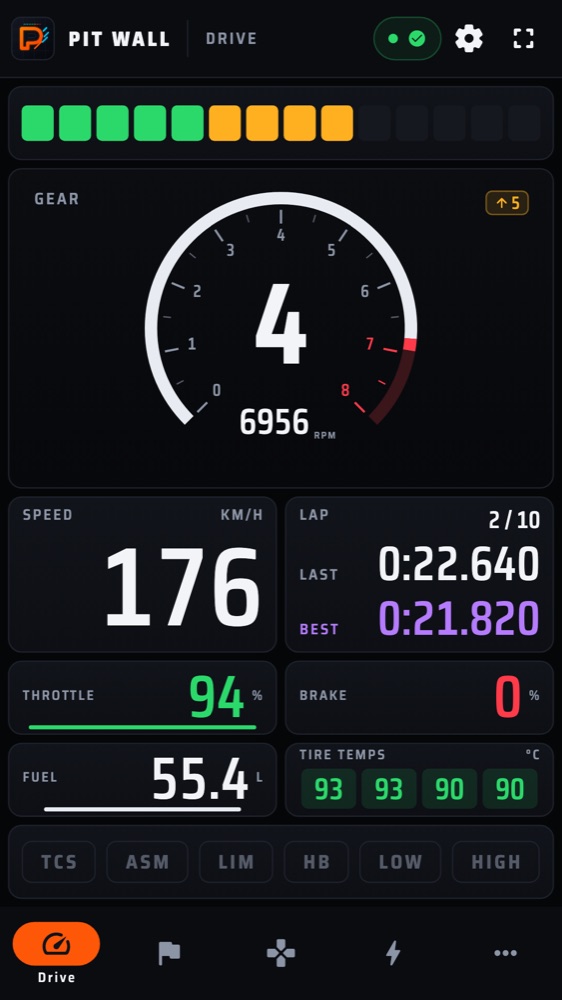
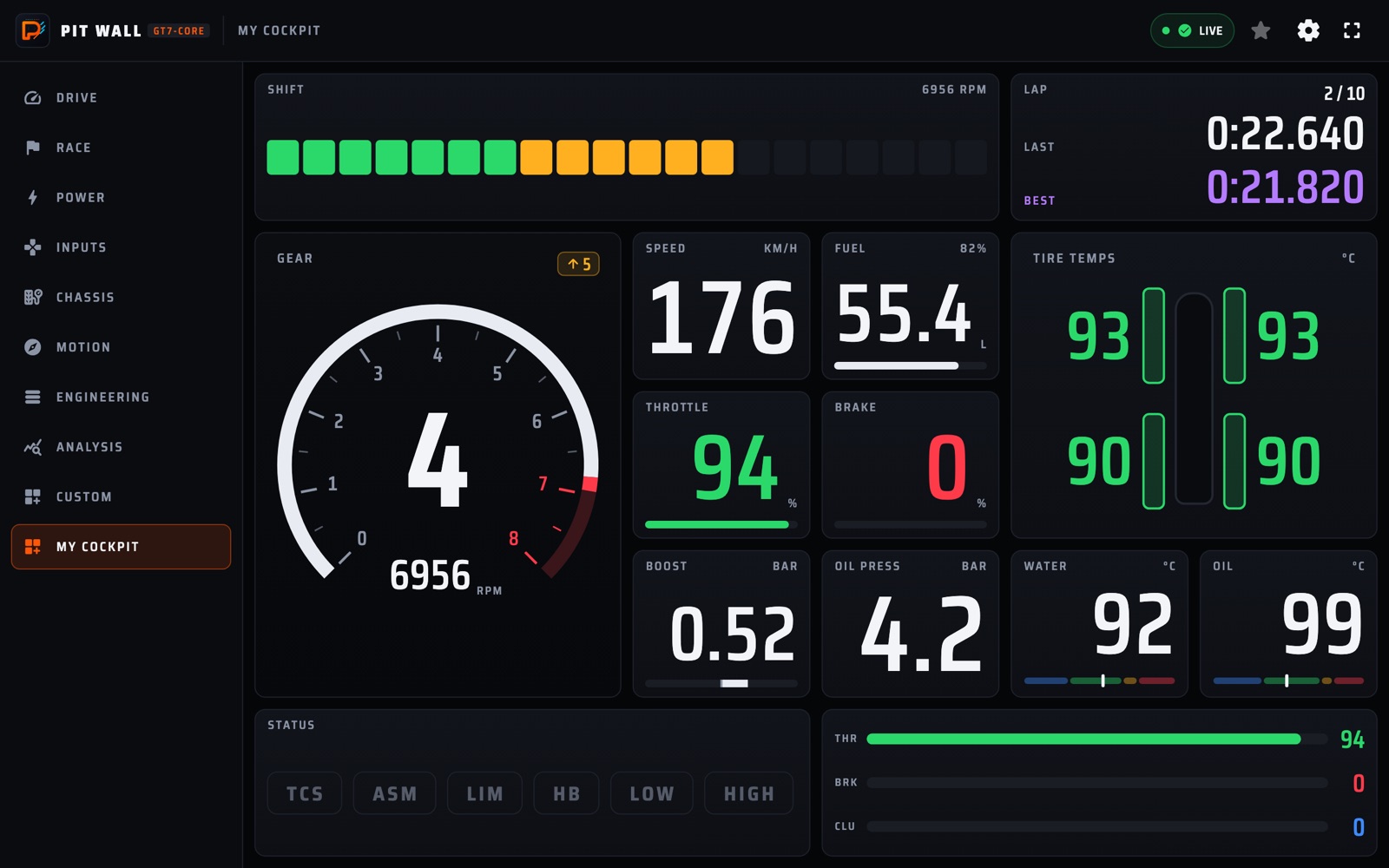
Big, readable instruments that scale from a phone in your hand to a tablet beside the screen.
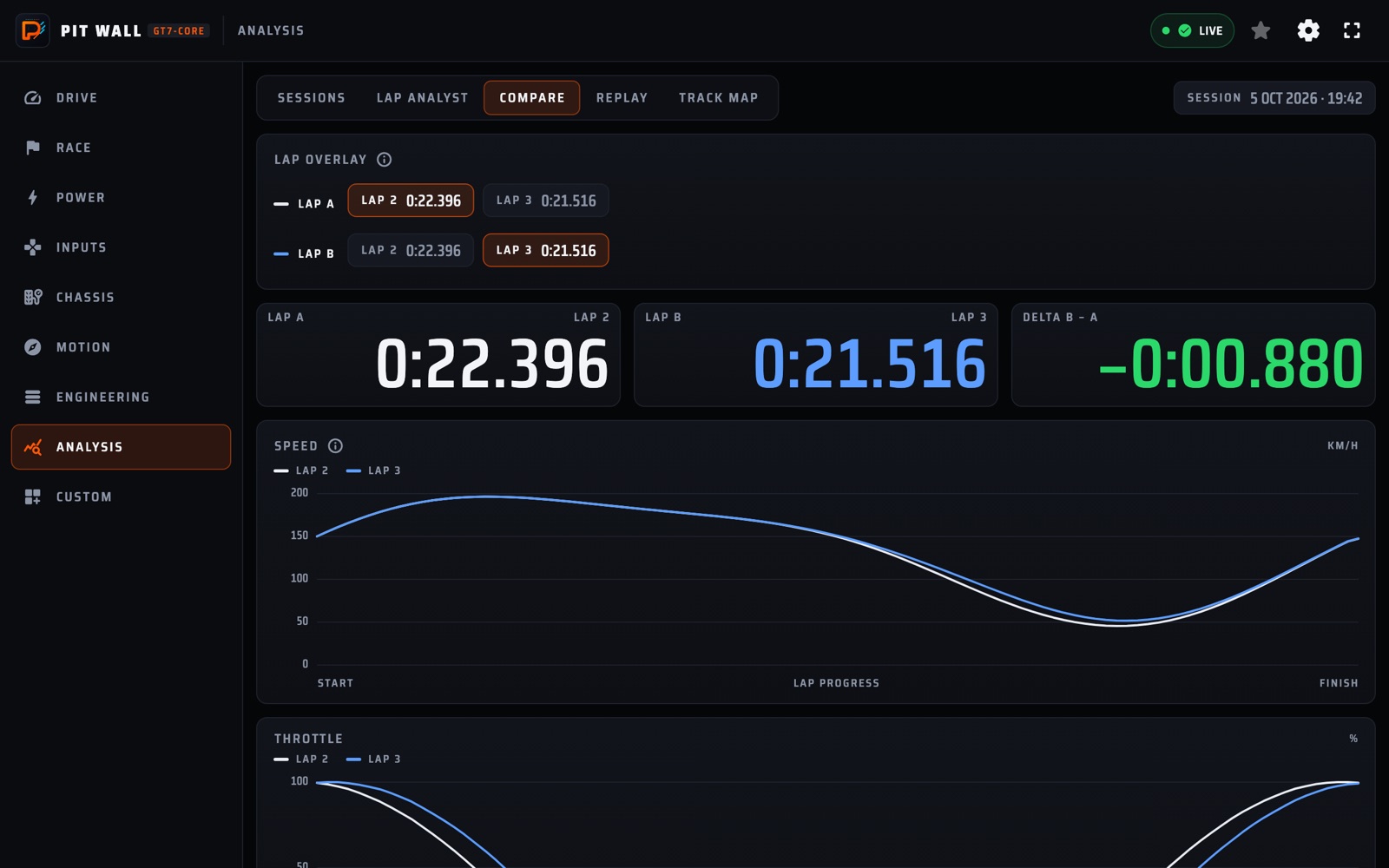
Record your sessions and see exactly where the time went.
No subscription. Unlock once, keep it on your Google account.
Free forever
One-time purchase in the app
GT7 sends its telemetry to one device at a time. The relay runs on a computer on your network and shares that one stream with as many Pit Wall screens as you like, and it serves Pit Wall in any browser: open its address on a laptop, a TV or an iPhone and the Drive board is live. You don't need it for a single Android phone or tablet.
Gran Turismo 7 running on your home network.
Any PC, Mac, Linux box or Raspberry Pi. Finds the console by itself.
The Pit Wall app, or any browser, on as many devices as you like.
64-bit Windows PCs
Windows x64.zipApple silicon and Intel Macs
Apple siliconM1 – M4 · .zip Intel.zip64-bit PCs and Raspberry Pi
x86-64.tar.gz ARM64 · Raspberry PiPi 3 / 4 / 5, 64-bit OS · .tar.gzVerify your download with the SHA-256 checksums · all releases
Unzip the download, open Terminal in that folder and let macOS run the unsigned relay and its web app:
xattr -dr com.apple.quarantine .
If the relay later says "is not an AOT snapshot", run this again.
Start GT7, then run the relay. It finds your PlayStation by itself:
./pit-wall-relay
If it can't reach the PlayStation, make sure Terminal is on under System Settings › Privacy & Security › Local Network, then quit Terminal (⌘Q) and try again, even if it was already on.
Open the address the relay printed in a browser on any device on your network. In the Pit Wall app, choose Relay and enter its ws:// address instead.
http://192.168.1.50:33750
Leave the relay running while you drive. Ctrl+C stops it.
Extract the zip, then open PowerShell in that folder (Shift + right-click → Open PowerShell window here).
SmartScreen may say "Windows protected your PC": click More info, then Run anyway.
Start GT7, then run the relay. It finds your PlayStation by itself:
.\pit-wall-relay.exe
When the firewall asks, allow access on Private networks, and make sure your home network is set to Private.
Open the address the relay printed in a browser on any device on your network. In the Pit Wall app, choose Relay and enter its ws:// address instead.
http://192.168.1.50:33750
Leave the window open while you drive. Ctrl+C stops it.
Pick the build matching uname -m (x86_64 or aarch64) and extract it:
tar xzf pit-wall-relay-*-linux-*.tar.gz
32-bit Raspberry Pi OS isn't supported; use the 64-bit OS.
Start GT7, then run the relay. It finds your PlayStation by itself:
./pit-wall-relay
With a firewall such as ufw, allow 33750/tcp and 33740/udp.
Open the address the relay printed in a browser on any device on your network. In the Pit Wall app, choose Relay and enter its ws:// address instead.
http://my-pi.local:33750
Some Android devices can't resolve .local names; use the IP address there.
--ps-ip <ip>The PlayStation's IP, if it isn't found automatically.
-b, --heartbeatPacket type: A (default), B adds motion data, ~ adds filtered pedals.
-p, --portPort dashboards connect to (default 33750).
--versionPrint the version and exit.
Gran Turismo 7 on a PS5 or PS4, and an Android phone or tablet on the same home network. Start GT7, open Pit Wall, and it finds the console by itself.
No, not for one Android phone or tablet: Pit Wall connects to the console directly. The relay is for showing live data on several screens at once, because GT7 sends telemetry to one device at a time, and for the browser version.
Yes. The relay serves it: open the address it prints in any browser on your network, on a computer, a TV or an iPhone, and it connects by itself. The browser version includes the Drive board; every other board is in the Pit Wall app.
The Drive board is free forever. A single one-time purchase unlocks every other board, Analysis and Custom boards. There's no subscription, and the purchase stays with your Google account.
No. Pit Wall and the relay talk only to your PlayStation and your own devices. There's no account, no analytics and no server of ours behind them.
Make sure the console is on (not in rest mode), GT7 is running, and both are on the same network. Pit Wall tells you which of these it sees; you can also enter the console's IP in connection settings. On a Mac, the relay also needs Local Network access for the app you start it from (System Settings › Privacy & Security › Local Network).
Another program on that device already receives GT7 telemetry, often a relay or another telemetry app. Close it; Pit Wall retries by itself.
Yes. Use the Linux ARM64 build on 64-bit Raspberry Pi OS (Pi 3, 4 or 5). It makes a great always-on relay beside the router.
No. Pit Wall is an independent companion app. It reads the telemetry GT7 broadcasts on your local network.

Free to start. The Drive board never costs a thing.